Melvor Idle 2 Tools
Planning aids that make idle time count.
Tools for an idle RPG
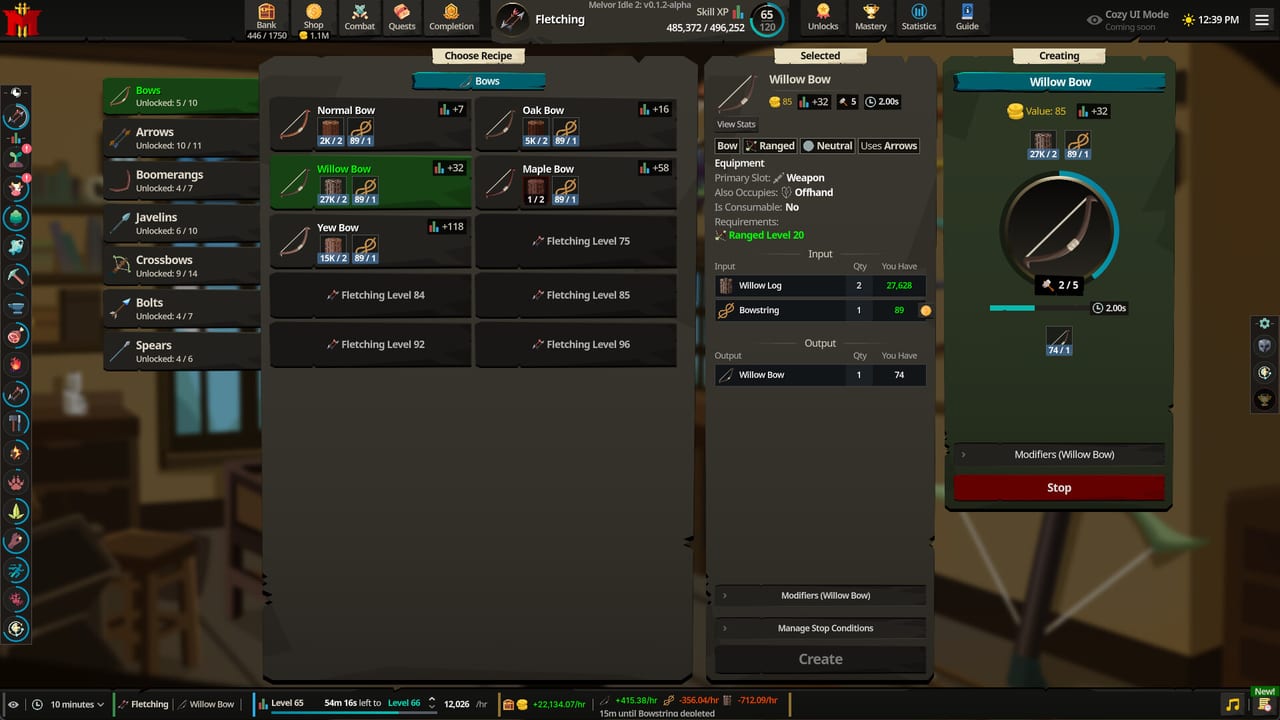
Melvor Idle 2 already ships strong built-in tools: Current Action rates, Event Log, bank placeholders, equipment sets, and cloud saves. This hub explains how to use those systems as a personal toolkit and points to the offline progress planner checklist for overnight sessions.
These pages complement Progression, Getting Started, and Mastery Guilds.
Built-in tools you should enable mentally
- Current Action panel — live XP/hr, items/hr, and combat rates for the action you are running.
- Event Log — catch unlocks and offline summaries you would otherwise miss.
- Bank tabs, tags, placeholders — stop losing food and quest items in clutter.
- Equipment set names — separate Melee, Ranged, Magic, and Slayer kits.
- Legacy sidebar option — quicker skill level scanning if you prefer Melvor-style overview.
- Presence — social curiosity about how many players share your action.
Fan planning tools on this wiki
- Offline Progress Planner — checklist for safe multi-hour idles.
- Bank and Shop — tabs, placeholders, and shop spend order.
- Cross-link early skill tier list and money making as priority calculators you apply manually.
- Use Combat as a readiness checklist before dangerous areas.
How to run a weekly review
Once per week:
- Export or screenshot key skill levels and guild ranks.
- Note which production loop broke most often.
- Check Updates for patches that change your plan.
- Reassign overnight idles using the offline planner.
- Clear one neglected Mastery task category.
Related hubs
Good tools do not play the game for you. They prevent silent failures — empty food, wrong runes, and forgotten guild tasks — that waste the offline hours Melvor Idle 2 is built around.
Spreadsheet discipline without a spreadsheet
You do not need a complex external sheet on day one. A simple note with skill levels, guild ranks, food count, and tonight’s idle goal already beats improvisation. When you eventually export data, keep columns for date, patch version, and goal so comparisons stay fair after Updates.
Bank as a tool
The bank is Melvor Idle 2’s real HUD. Named tabs, placeholders, and tags prevent the classic failure where Auto Eat starves because food was buried under ores. Create a Food tab before your first combat idle. Create a Quest tab before Act 2. Create a Runes/Ammo tab before Magic or Ranged overnight sessions.
Equipment sets as loadout tools
Name sets clearly: Melee general, Ranged safe, Magic quest, Slayer. Swap intentionally instead of rebuilding gear every fight. Pair sets with the Combat guide readiness checks.
When to use external community tools
Community XP sheets and drop trackers appear on Discord and Reddit quickly after launch. Vet them like any fan tool: check the date, the patch they target, and whether authors update after hotfixes. Prefer tools that cite Current Action math you can reproduce in-game.
Tooling roadmap for this wiki
The offline progress planner is the first interactive-style checklist. Future additions may include printable Mastery task templates and quest prep cards. Until then, combine this hub with Tier List and Guides for decisions.
Frequently Asked Questions
Quick answers to the most common questions.
Does this wiki host a live XP calculator?
Not yet. Use the in-game Current Action panel for live rates and the offline progress checklist for planning.
What is the most important in-game tool?
Current Action rates plus the Event Log. Together they show whether an upgrade worked and what you missed offline.
Where do I plan overnight combat?
Use the offline progress planner and the Combat guide food checklist.